Under Singapore's Personal Data Protection Act 2012 (PDPA), organisations must make reasonable security arrangements to protect the personal data in their possession or under their control. That duty applies whenever your organisation has personal data in its possession or under its control, including during onboarding before a new employee first logs in.
For a small and medium-sized enterprise (SME), first-day IT access is often assembled on the spot. A shared login gets passed along, admin rights are granted for convenience, and a laptop is patched in a hurry. It feels faster in the moment and quietly stores up problems.
Rushed access setup slows the joiner down and blurs accountability later. When nobody can say who approved which permission, or which credential a departed employee still holds, cleanup becomes far more expensive than preparation would have been. The same discipline matters in reverse, so pair your onboarding plan with an employee offboarding IT checklist for Singapore SMEs to close departed staff access cleanly.
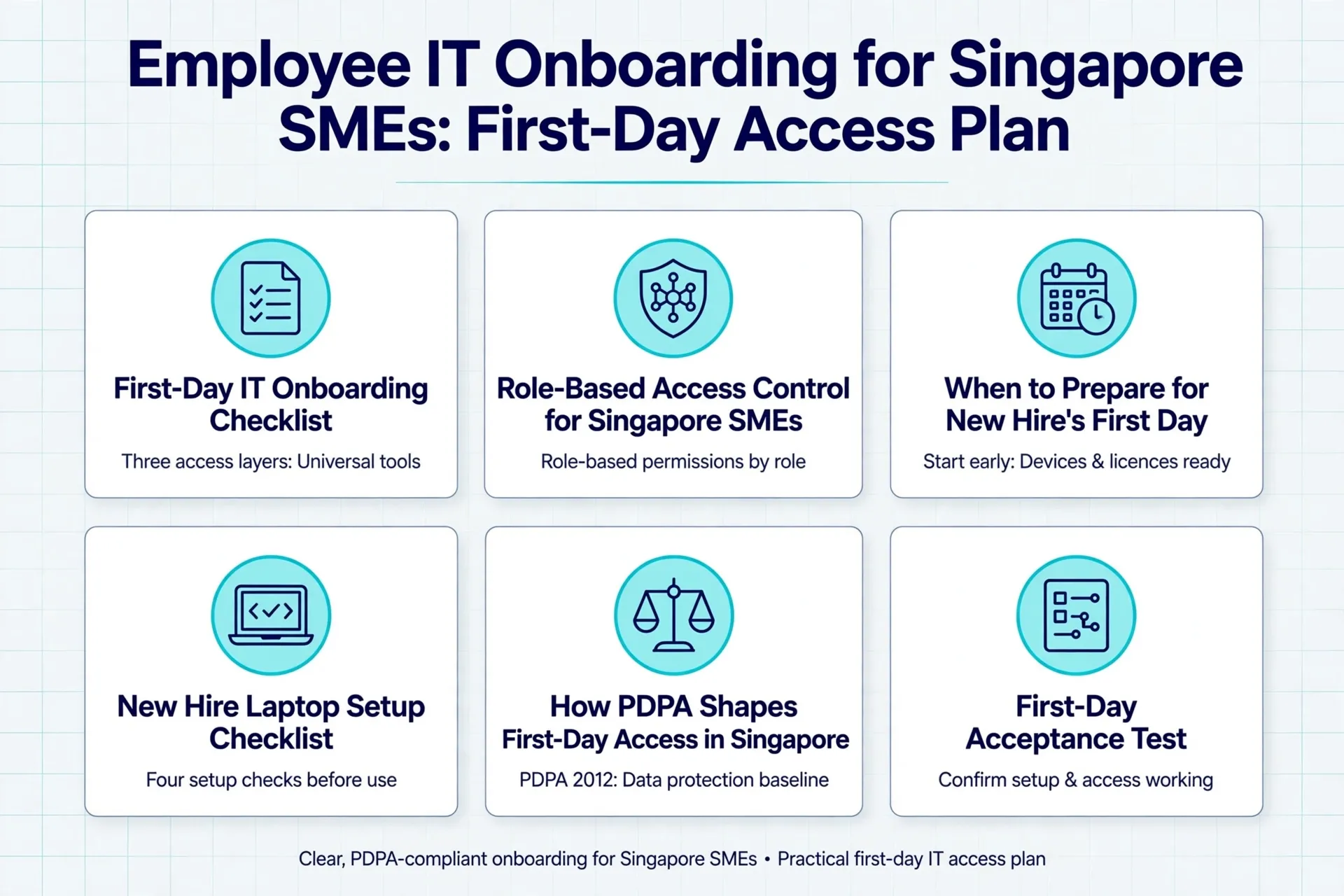
This blog explains how to build a new employee IT onboarding checklist for Singapore SMEs as a first-day access plan. It covers universal and role-specific access, a suggested preparation sequence, a device checklist, a first-day acceptance test and PDPA-aligned record-keeping.
What Should a First-Day IT Onboarding Checklist Cover?
A complete checklist separates three layers of access: universal tools every joiner needs, role-specific systems, and elevated permissions that wait for separate approval. It also names a business owner who approves each system and every elevated permission. If your files sit on a shared server or a network attached storage (NAS) device, apply the same rule: grant only the folders the employee's department needs.
Treat this structure as adaptable practice rather than a universal SME standard. The exact baseline depends on your role definitions, technology stack and the approved access matrix, so adjust it before implementation and record who actually approves each system in your organisation.
1. Universal Day-One Access
Universal access may include email and calendar under the joiner's own name, your collaboration tool, the HR self-service portal and only the shared-drive folders their department needs. Keep that folder scope aligned with the approved access matrix so it does not drift open by default. A short briefing on common cyber threats and how to prevent them is also worth adding to week one, since new joiners attract phishing messages.
2. Role-Specific Systems
These are the applications the employee needs to do their job, such as a customer relationship management (CRM) tool or accounting software. The manager should specify them during the request, because HR holds employment details but is not positioned to judge business access.
3. Elevated Access That Waits
Sensitive functions, such as data exports, payroll, payment release, vendor-record changes and system administration, should never be granted automatically. Each one waits until the relevant department head documents the need and a named approver signs it off.
How Does Role-Based Access Control Work for Singapore SMEs?
A role-based access control model grants permissions through role groups rather than hand-crafting them for each person. New hires can receive individually assigned accounts, join approved role groups, and work as standard users without local-administrator rights.
This is security guidance, not a universal rule or a statement of IT Solution's documented process. Some applications may need an exception because of their design or business use.
Shared logins are the habit this model is designed to reduce. They can weaken accountability and make access removal harder. A legacy application may still require a shared credential. If so, treat it as an exception with a named owner and review date.
The table below is an illustrative SME access setup. The withheld permissions are examples, not fixed rules. What counts as sensitive depends on your business.
For sensitive functions, the approver should normally own the relevant system or data. This is an adaptable approval model, not a fixed division of responsibility. Record each department's actual approver, delegation rules and escalation route before implementation.
Illustrative SME Employee Access Setup by Role
| Role | Day-One Access | Held Back Until Approved | Suggested Approver |
|---|---|---|---|
| Sales | CRM as a standard user, sales templates, relevant customer folders | CRM exports, bulk deletion, workflow administration, full customer database | Sales head |
| Finance | Accounting software for the assigned entity, finance folders, invoice workflows | Payroll, online banking, payment release, vendor-master changes, administrator rights | Business owner |
| Operations | Job, inventory or ERP modules, operations folders, approved printer access | System administration, price-master changes, bulk exports | Operations head |
When Should You Start Preparing for a New Hire's First Day?
Start preparation early enough to check device stock, warranties, licences and application requirements before the start date. The time required depends on device availability, procurement, licences and application setup. Treat the sequence as a planning guide, not a fixed service level. Get confirmed lead times from your IT provider or procurement process.
If you do not have in-house IT, our article on how to choose a managed IT services provider explains what to check before outsourcing this work.
Details HR Should Provide Before Setup:
- Start date and agreed start time
- Employment or contractor status, and end date if temporary
- Exact legal and preferred name for the email address
- Required email naming convention
- Job title, department, manager and work location
- Cost centre, licence needs and required applications
- Data folders required for the role
- A mobile number for multi-factor authentication (MFA), if the employee has agreed to use it
If a personal phone is unsuitable, arrange a company phone or a security key instead. In an adaptable approval model, the manager flags exceptional access in the same request. Record who may approve finance, customer-data or privileged rights before implementation.
Suggested Preparation Timeline Before Day One
| When | What to Complete |
|---|---|
| About 2 weeks out | Confirm device stock, warranty and licences; order missing hardware |
| About 1 week out | Create the identity in a disabled state; assign base licence and departmental groups |
| 2-4 days out | Enrol, patch, encrypt and load the device; test Wi-Fi, VPN and printing |
| 1 day before | Recheck groups, licence activation, recovery-key escrow and approved folders; pack the device |
| Day one | Enable sign-in at the agreed time; complete the acceptance test and sign-off |
What Goes on a New Hire Laptop Setup Checklist?
A new hire laptop setup checklist covers four areas before the employee arrives: the operating system and firmware, encryption, applications and user rights, and local settings with hardware tests. Adapt the items to your organisation's approved device standard, because not every control is available or appropriate for every SME.
1. Operating System and Firmware
Record the asset tag, serial number, assigned user, warranty and physical condition first. Install a currently supported Windows release with approved security and cumulative updates. Update the basic input/output system (BIOS) and firmware, and enable Secure Boot and the Trusted Platform Module (TPM).
2. Encryption and Recovery Keys
Encrypt the drive with full-disk encryption such as BitLocker. Escrow the recovery key centrally so IT can unlock the device if a password is forgotten or the employee leaves. If you need to explain this control to staff, our guide on how data encryption actually works keeps it simple. Enrol the laptop in your management platform and deploy endpoint protection and firewall policies.
3. Applications and User Rights
Install the approved productivity suite, collaboration tool, browser, PDF tools and any line-of-business applications. Remove vendor bloatware, disable or rename unmanaged local accounts, and leave the employee as a standard user rather than a local administrator. Configure folder synchronisation or backup so documents are protected from day one.
4. Singapore Settings and Hardware Tests
Set the Singapore time zone, regional and keyboard settings, and automatic time synchronisation. Configure corporate Wi-Fi, VPN, approved printers and secure print, plus screen lock and update policies. There is no uniquely Singaporean software requirement, but do check that personal data is not being copied into unmanaged consumer storage. Test the camera, microphone, dock, charger and external monitors before packing.
How Does the PDPA Shape First-Day Access in Singapore?
Singapore's Personal Data Protection Act 2012 sets the baseline. Section 24, known as the Protection Obligation, requires organisations to make reasonable security arrangements to protect personal data in their possession or under their control. That includes protecting against unauthorised access, misuse and the loss of storage media or devices.
The Act does not prescribe specific technology. MFA, named accounts, documented approvals, prompt access removal and audit records are not automatically required in every case. They are practical controls that may help your organisation support its security arrangements under the PDPA.
This is practical guidance rather than legal advice, and not a declaration of compliance. Installing antivirus or enabling encryption alone does not make a business compliant. Assess the controls against your own data, systems, risks and applicable obligations, and take advice where the stakes are high.
Device Setup Gaps and How to Catch Them
| Setup Gap | Why It Matters | Checklist Item That Catches It |
|---|---|---|
| Recovery key never escrowed | A forgotten password can lock the business out of the device | Central recovery-key escrow at encryption time |
| Employee is a local administrator | Malware and accidental changes spread more easily | Standard-user configuration check |
| VPN tested only on the office network | Remote access fails on the joiner's first day at home | Test under the employee's real conditions |
| Cloud sync installed but not configured | Documents are not backed up as assumed | Verify folder synchronisation and backup status |
| Shared credential saved for Wi-Fi or apps | Accountability is lost and access is hard to revoke | Individual named accounts for every service |
| MFA postponed until after first login | The account sits unprotected during setup | Complete MFA registration before handover |
What Does a First-Day Acceptance Test Confirm?
A first-day acceptance test is a short, recommended check the employee completes with their manager or an onboarding coordinator. It confirms the joiner can work using an individually assigned account, without a shared login and without local-administrator rights.
Suggested test items include:
- Sign in with the employee's own account and change the initial credential.
- Complete MFA registration with a method the employee has agreed to.
- Lock and unlock the laptop, then send and receive a test email.
- Join a test call on your collaboration platform.
- Open and edit an authorised shared file, and confirm a restricted folder is not visible.
- Open the required business applications and print one test page if printing is part of the role.
- Connect through VPN if remote access is required, and confirm folder sync or backup status.
- Confirm the support route works without the employee disclosing a password or MFA code.
Sign-off closes the loop. The employee confirms receipt and the physical condition of the device. The manager confirms that applications and data scope match the role. IT records the asset tag, account, licence, MFA completion, encryption status, tests passed, exceptions and the ticket reference, and attaches the acknowledged checklist to the onboarding record.
Use this as a structure to adapt. Record your own required test items, who signs, where the record is kept and how long it is retained. Any failed item should stay an open ticket with an owner and a target resolution date rather than being quietly accepted.
First-Day Acceptance Test and Sign-Off
| Check | Who Confirms |
|---|---|
| Sign-in, credential change and MFA completed | Employee, with IT support |
| Email, calls and collaboration tools working | Employee |
| Authorised files visible and editable; restricted folders hidden | Employee and manager |
| Role applications, printing and VPN tested | Employee and manager |
| Device receipt and physical condition | Employee |
| Asset, licence, MFA, encryption and exceptions recorded | IT |
When Should You Deviate From the Standard Access Plan?
Variations are normal, and they are adaptations to check rather than fixed rules. Verify the applicable policies, platform standards and, where relevant, regulatory requirements before deviating from your standard plan.
1. Contractors
Issue a separate named account with an automatic expiry date, restrict it to the project workspace and applications, and block unnecessary downloads or unmanaged-device access. Schedule a sponsor review and offboarding before the contract ends.
2. Remote-Only Staff
Verify identity before releasing equipment and courier a sealed, asset-recorded device. Use zero-touch enrolment where available, test the employee's home connection and VPN, and obtain electronic acceptance.
3. Mac Users
Substitute Apple Business Manager, macOS device management and FileVault key escrow, with patch and compliance policies for the platform. A consumer Apple ID should never act as the company's management account.
4. Regulated Firms
For a finance hire at a regulated firm, possible adaptations may include additional controls. These can include documented application-owner approval, segregation-of-duties checks, maker-checker controls, stronger authentication, export restrictions, enhanced logging and scheduled access reviews. Use the bank's controlled process for online-banking access. Do not test it with another person's token. Map onboarding to the rules and internal policies that apply to your entity rather than assuming every SME faces the same duties.
5. Firms With No Server
A firm without a server can keep the same identity, MFA, encryption and approval principles using managed cloud email and document libraries. Do not build an on-premises server just for onboarding. If you do run your own infrastructure, hosted options such as micro data centre rack space in Singapore keep equipment in a managed facility.
6. Privileged IT Roles
IT staff should hold separate standard-user and administrator accounts. Admin access is time-limited or approval-controlled, and never used for email or ordinary browsing.
Conclusion
A sound first-day access plan can separate universal access from role-specific and elevated permissions. It can also prepare devices and identities before the start date. A recommended plan closes with an acceptance test and a record.
These steps can support reasonable security arrangements under Singapore's PDPA. Adapt them to your systems, data and approved access model.
IT Solution supports Singapore SMEs with access planning, device preparation and ongoing IT maintenance. Contact us through our contact page to discuss your next hire's first day.
Plan Your Next Hire's First Day With IT Solution
Tell us about your team, systems and upcoming hires. We will map the access, prepare the devices and handle the handover so day one runs smoothly.
Frequently Asked Questions
As a planning guide, start early enough to check device availability, procurement, licences and application requirements. Confirm actual lead times with your IT provider or procurement process; they are not fixed service levels.
It is recommended that day-to-day work is done as a standard user. Local-administrator rights make malware and accidental misconfiguration easier, so grant them only as a separately approved exception.
The PDPA requires reasonable security arrangements to protect personal data; it does not mandate any single technology. MFA, named accounts and access records are practical controls that may support those arrangements, but assess them against your own risks or seek legal advice.
Start date and time, employment status, exact legal and preferred name, email naming, job title, department, manager, location, licence needs, required applications and folders, and a mobile number for MFA where the employee has agreed to provide one.
Individually assigned accounts are recommended because they preserve accountability and simplify access removal. If a legacy system only supports a shared credential, treat it as an exception with a named owner and a review date.

Qin
Digital Marketer
The company's offerings to include IT solutions such as domain registration, hosting, and comprehensive website services alongside digital marketing. Her work encompasses website development, graphic design, and email solutions to provide holistic digital strategies, focusing on Digital Business & Systems.