Subject to the Act's exceptions, an organisation must make reasonable security arrangements to protect personal data in its possession or under its control. That duty expressly covers protection against unauthorised access and the loss of storage media and devices. An employee exit is one of the moments when that obligation is most easily breached.
When someone leaves, their mailbox often holds live customer conversations. Their cloud folders may hold the only copy of project files. Their sign-ins may open billing portals, ad accounts, domain registrars and government digital services. Yet an exit can be incomplete if "disable the login" is treated as the whole job.
An employee offboarding IT checklist for Singapore SMEs gives you a repeatable way to protect customer emails and files while reviewing licences that may no longer be needed.
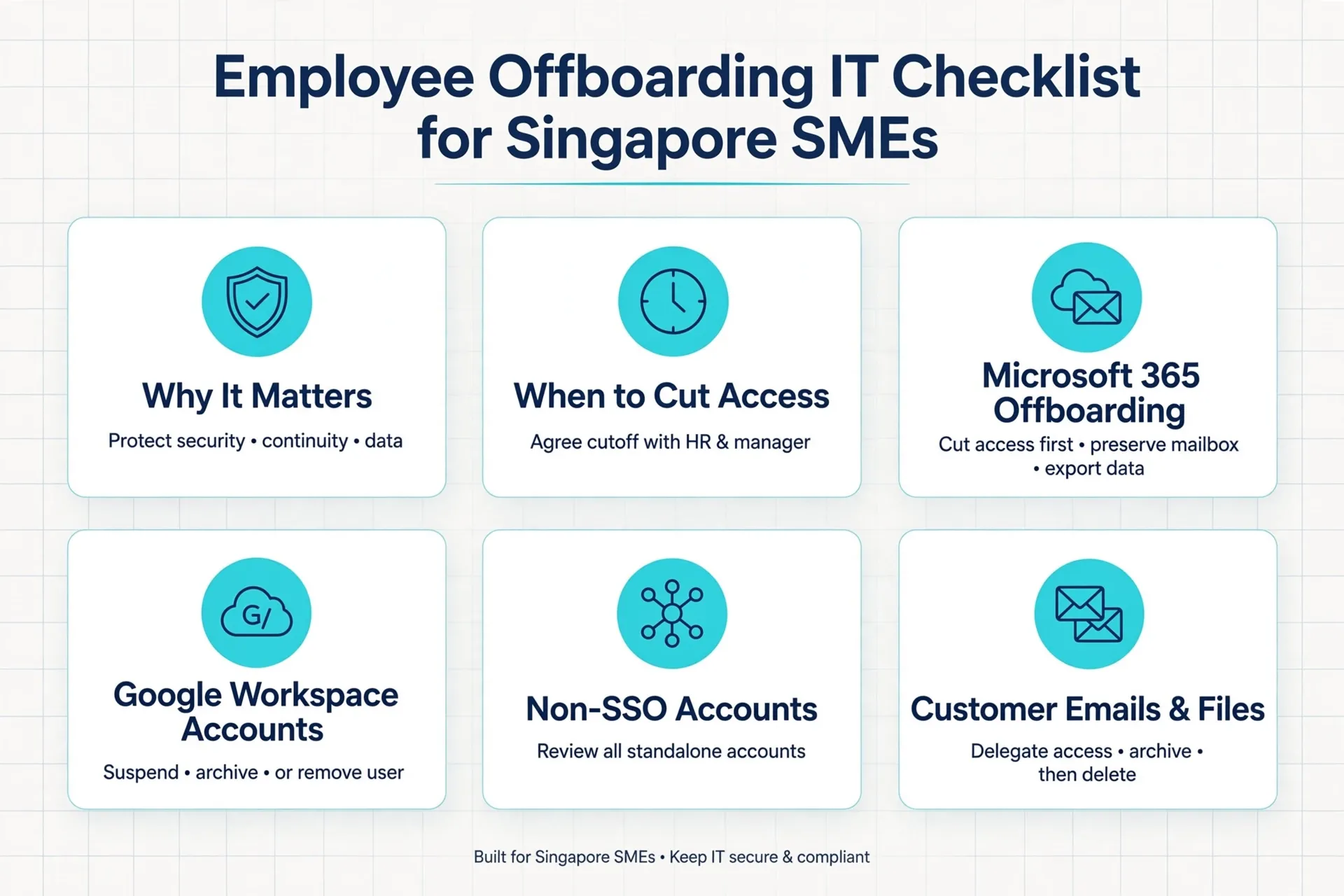
In this blog, we discuss how to time the access cutoff, run Microsoft 365 and Google Workspace offboarding, review non-SSO accounts such as CorpPass, protect email and file handover, and close the exit with proper sign-offs before you reclaim a licence.
Why Does a Singapore SME Need an Employee Offboarding IT Checklist?
Because a departure touches security, customer continuity and software cost at the same time, and each needs a deliberate decision. Under section 24 of the Personal Data Protection Act 2012, your organisation must protect personal data against unauthorised access, and against loss of storage media and devices. A leaver's still-active account sits squarely inside that duty.
The Act's retention rule matters too. Section 25 says personal data should not be kept once the collection purpose is no longer served, and retention is no longer necessary for legal or business purposes. So neither "delete everything immediately" nor "keep it forever" is the right default. The correct period depends on your legal, contractual and records obligations.
Offboarding can fail when nobody confirms the exact cutoff, when mailboxes and files are handled as an afterthought, or when licences stay billed or are removed too early. The same discipline applies at the start of the lifecycle, and a first day access plan for employee onboarding keeps new Singapore SME hires productive from minute one. The Personal Data Protection Commission (PDPC) also expects organisations to assess suspected data breaches and decide whether notification duties apply. An access-control lapse during an exit can trigger that process, depending on the facts.
This is a checklist topic, not a theory topic. Every action below is a decision someone must own.
When Should You Cut Off a Departing Employee's Access?
Agree the cutoff with HR and the leaver's manager in advance, then run every access change as one coordinated event at that moment. Do not let IT guess it from the calendar.
Blocking someone out at lunchtime on their last day can break a live customer handover. Blocking them the next morning can leave doors open overnight. In practice, the cutoff is a business decision that HR and the manager must confirm in writing. We recommend agreeing an authorised final working hour for every planned exit. Treat that as recommended practice, not a fixed rule; the right moment depends on the exit terms and the role.
For an abrupt exit, such as an instant dismissal or a walkout, the timing reverses. Access blocking should be staged with HR or management and triggered on their authorised instruction, following the employer's approved exit and incident procedures. Do not delay blocking to collect evidence. Preserve logs under authorised direction, but act on the instruction first.
An offboarding checklist should consider more than the primary identity. Disabling a primary identity alone may not end access. An already signed-in browser, an active phone session, a VPN profile or a separate application account can all keep working. That is why a password reset, an account disablement and a session revocation are separate checklist items, not one action. Consider this a checklist consideration rather than a guarantee; platforms behave differently, and your plan should be tested.
The comparison table below sums up the two scenarios.
Planned Exit vs Abrupt Exit: Access Cutoff
| Scenario | Who triggers it | IT actions at cutoff | Key risk to manage |
|---|---|---|---|
| Planned resignation | HR confirms the authorised final working hour in writing | Block sign-in, revoke active sessions and MFA methods, disable VPN and remote access | Blocking too early disrupts the handover |
| Abrupt exit | HR or management gives an authorised proceed signal | Same blocking actions, plus rotation of shared or service credentials the person knew | Blocking too late leaves live access open |
How Do You Handle Microsoft 365 Employee Offboarding?
Work in a fixed order: cut access and sessions first, preserve mailbox and file content second, arrange continuity third, and only then remove the licence or delete the account where appropriate. Microsoft's guidance for removing a former employee sets out these same available actions.
The exact outcomes depend on your tenant, licences and configuration. The employer should approve each step as a decision rather than treating it as a default workflow. Run through the four steps below in order.
Step 1: Block the account and end sessions
Block sign-in and sign the user out of active sessions. Remove registered multi-factor authentication (MFA) methods and disable VPN or remote-support access at the same time. Check for separate application accounts that sign in with their own passwords.
Step 2: Preserve the mailbox content
Choose between converting the mailbox to a shared mailbox and preserving it as licensed. Microsoft documents that an unlicensed shared mailbox can hold up to 50 GB. Archiving and litigation hold still require a licence. An administrator must check the tenant's current licensing and retention configuration before assuming an unlicensed shared mailbox is suitable.
Step 3: Transfer files and set continuity
Transfer OneDrive access to an authorised owner so business files and shared links survive. Set an approved customer auto-reply and route only role-related mail. Aliases, groups, calendars and automations can break silently, so check them before the mailbox changes state.
Step 4: Remove the licence only after sign-off
Reclaim the licence after preservation is verified and licensed-feature dependencies are checked. Deleting the user is a separate decision requiring authorised approval, because deletion eventually destroys preserved content.
What About Google Workspace Accounts?
Make a deliberate choice to suspend, archive or remove the user, and transfer or preserve data before any deletion or licence change. Google's official help states that suspending a user blocks access while preserving data, that archiving retains data and prevents Workspace access, and that data transfer options exist.
Avoid a universal instruction to delete or reclaim the licence. The right action depends on your edition, data ownership and retention needs. Our suggested approach is to suspend first, transfer Drive and other supported data to an authorised owner, complete the approved export or retention action, and verify recovery before any user deletion.
Which Non-SSO Accounts Should the Employee Exit IT Checklist Cover?
Consider every account that authenticates outside your central identity system. Disabling a single sign-on (SSO) login does not touch them, so include them in the offboarding inventory.
Consider checking the categories below for every leaver. Treat them as an inventory exercise, not an accusation. The table that follows summarises the review.
1. Social and advertising accounts
Company pages, ad platforms and messaging tools tied to a business number can outlive the employee. Check who can still publish, spend or reply after the cutoff.
2. Domain, DNS and hosting portals
A registrar login registered to a personal email can hold your web presence hostage long after the exit. Company ownership should replace it.
3. Billing, telco and mobile-OTP accounts
Payment portals, supplier logins and mobile lines that receive one-time passwords all need credential resets and ownership checks.
4. Password managers and shared credentials
Shared passwords the leaver knew should be rotated. Vault access should be reassigned to named owners.
5. CorpPass digital-service access
Corppass states that digital service access is assigned and managed by the entity's Corppass Administrator or Corppass Sub-Administrator. The employer's authorised Corppass administrator must review and change the leaver's access. Disabling an internal IT account does not itself achieve that.
Non-SSO Access Review Checklist
| Access type | Why it matters | What to do |
|---|---|---|
| Social and advertising accounts | Content, spend and customer replies | Reassign admin roles; remove the leaver |
| Domain, DNS and hosting portals | Your web presence depends on them | Move to a company-owned account |
| Billing and payment portals | Spending and sensitive data | Reset credentials; update authorised users |
| Telco and mobile-OTP accounts | One-time passwords route to the SIM | Transfer the number; rebind OTP contacts |
| Password managers and shared credentials | The leaver may recall shared secrets | Rotate shared credentials; reassign vaults |
| CorpPass roles | Government digital-service access | Ask your authorised Corppass administrator to review |
How Do You Keep Customer Emails and Files Without Keeping Risk?
Match the mailbox treatment to the role. Customer-facing roles need continuity, confidential roles need containment, and every mailbox needs an approved retention decision.
Email continuity options include a shared mailbox, delegated access, a customer auto-reply, limited routing, preservation, or deletion after an approved retention decision. These are choices the employer makes after weighing the role, confidentiality, customer dependency and retention requirements. Blanket external forwarding is not a safe default for confidential inboxes.
Files need the same discipline for a clean offboarding email and file handover. Transfer OneDrive, SharePoint or Google Drive ownership to a named person. Check that shared links, group memberships and workflow automations still work the day after the exit.
For whoever takes over customer conversations, hosted S/MIME is an email-encryption service that can help protect sensitive threads. If you are reconsidering where business documents live, our guide to secure business cloud storage in Singapore covers safer options. The table below compares the main mailbox options.
Mailbox Continuity Options Compared
| Option | Best suited to | Considerations |
|---|---|---|
| Shared mailbox | Customer-facing roles with direct email contact | Up to 50 GB without a licence; archive or hold needs a licence |
| Delegated access | Finance or confidential roles | Keeps threads in-tenant; avoid blanket external forwarding |
| Auto-reply to a new contact | Any role customers email directly | Cheap and simple; pair with routing for role addresses |
| Export then remove | Back-office roles with little customer contact | Requires an approved retention decision first |
| Preserve under legal hold | Disputed or regulated exits | In Microsoft 365, delete the user only after applying the hold; held mailbox content remains until the hold is removed |
How Should Devices Be Treated on the Last Day?
Match the treatment to who owns the device and what it carries. Company laptops, personal devices and shared hardware carry different control and continuity risks, so this is a decision framework rather than a single rule.
1. Company-owned laptops
Collect them through HR and assess whether a reset or wipe is appropriate before reissue. The right action depends on your data, device management and reuse plan.
2. Personal (BYOD) devices
Employer control is limited here. Removing work profiles or work data depends on your mobile management setup and your BYOD notice. Check what your tooling actually supports before promising a particular outcome.
3. Shared and common devices
Shared logins and cached credentials need rotation, not just the removal of one name from a list.
What Sign-Offs Should Precede a Licence Reclaim?
Get named confirmations for the handover, the assets, the access removal, the data preservation and any retention instruction, before the licence goes. Present this as a recommended approval checklist; it is not a legal signing requirement, and each SME should adapt it to its own HR process.
The sign-offs we recommend follow the natural owners of each outcome. A complete record matters as much as the actions, because "the username disappeared" is not evidence that Singapore SME employee access removal actually happened.
1. The leaver confirms the handover
Business files sit in the approved repository, customer and project ownership is documented, and equipment and authentication devices are returned. An attestation about company data on personal devices is more appropriate than an IT inspection of private content.
2. The manager confirms continuity
File locations, replacement owners, the customer contact plan, shared-mailbox delegates, and any reassigned workflows, meetings or approvals are documented.
3. HR confirms the exit terms
The legal employer's instruction, final date and cutoff, restricted or normal exit status, asset clearance, retention period, and any investigation or legal hold are recorded.
4. Your IT provider confirms the technical record
Access removal evidence, mailbox preservation or backup, ownership transfers, and a passed access or restore test are attached to the ticket.
What If the Leaver Is Your Only Administrator?
Establish company-controlled recovery and replacement administration first, then remove the old access where feasible. If the leaver is your sole tenant admin, domain owner or recovery-contact holder, stripping their access before a replacement exists can lock you out of your own systems.
Provider-specific recovery routes and evidence requirements vary, so plan this before the exit, not after. We suggest checking administrator and ownership continuity as part of every offboarding review. If your internal team is stretched, choosing a solution provider in Singapore for exit-day support is worth considering; our value-versus-cost article covers the decision.
A suggested offboarding record includes the leaver, authorised cutoff, assets, identity accounts, application access, mailbox and file disposition, licence status, approvers, timestamps, evidence and open exceptions. This is a recommended structure, not a mandatory Singapore form, so adapt it to your HR process.
Conclusion
An employee exit done well comes down to a few disciplined moves. Agree the authorised cutoff with HR and the manager, end sessions and not just logins, preserve the mailbox and files before changing anything, review non-SSO and CorpPass access, and collect named sign-offs before you reclaim a single licence.
Following a structured employee offboarding IT checklist Singapore SMEs can apply to every exit turns a risky day into a routine one. It also keeps you on the right side of your data protection obligations, because every decision is documented and owned.
We help Singapore SME clients plan and run staff exits, including Microsoft 365 and Google Workspace offboarding, mailbox and file handover, device handling and documentation. If you want your next exit handled without the guesswork, talk to us through our contact page.
Need Help With Your Next Staff Exit?
IT Solution plans and runs last-day access removal, mailbox and file handover, and licence reclaims for Singapore SMEs, with every step documented.
Frequently Asked Questions
No. An already signed-in browser, an active phone session, a VPN profile, MFA methods or a separate application account can keep working. Block sign-in, sign out active sessions and review remote and app access as separate steps.
Sometimes. Microsoft documents that an unlicensed shared mailbox can hold up to 50 GB, but archiving and litigation hold still require a licence. An administrator must check your tenant's licensing and retention configuration first.
The entity's authorised Corppass Administrator or Sub-Administrator manages digital-service access. Disabling an internal IT or Microsoft 365 account does not itself remove CorpPass roles, so ask your Corppass administrator to review the leaver's assignments.
There is no fixed period. Under section 25 of Singapore's Personal Data Protection Act, personal data should not be retained once the purpose is no longer served and retention is no longer necessary for legal or business purposes. Confirm your legal, contractual and records requirements before deleting.
Use a recommended approval checklist before reclaiming: confirm the handover, asset return and access removal, verify data preservation or transfer, and record any retention or legal-hold instruction. Check mailbox size, archive and hold dependencies before removing the licence.

Qin
Digital Marketer
The company's offerings to include IT solutions such as domain registration, hosting, and comprehensive website services alongside digital marketing. Her work encompasses website development, graphic design, and email solutions to provide holistic digital strategies, focusing on Digital Business & Systems.