
A freshly launched website is often the moment a Singapore business first learns its emails are failing quietly. Enquiries vanish, invoices land in junk, and nobody notices until a customer calls. The root cause is usually email authentication. The Sender Policy Framework (SPF), DomainKeys Identified Mail (DKIM) and Domain-based Message Authentication, Reporting and Conformance (DMARC) standards govern this. Their records tell receiving servers your domain is genuine. Authentication, however, only proves who sent a message, while hosted S/MIME encryption can secure email contents end to end.
A new website makes this worse, not better. Launch day often brings a new content management system, new contact forms, a new or migrated mailbox, and sometimes a new DNS zone. Each moving part can send mail using your domain, and each one must be authenticated correctly or your messages start failing silently.
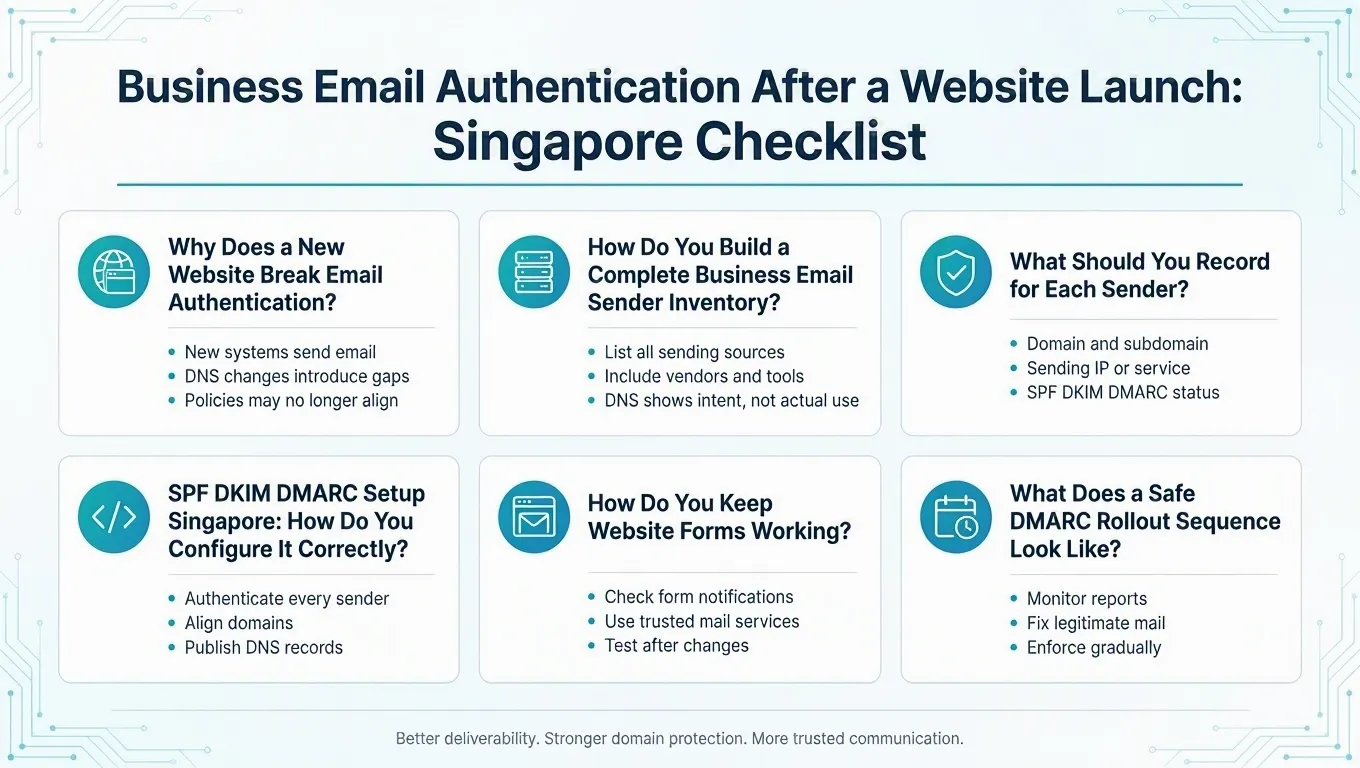
The good news is that the fix follows a logical sequence: inventory every sender, authenticate each one, monitor what DMARC reports reveal, and only then enforce. The current DMARC standard, RFC 9989, recommends exactly this staged approach. This article turns that standard into a practical checklist for Singapore small and medium-sized enterprises (SMEs).
This guide covers SPF DKIM DMARC setup Singapore after a website launch. It explains how to build a business email sender inventory, publish clean SPF and DKIM records, and run DMARC in monitoring mode. It also explains how to avoid breaking website forms, invoices and customer relationship management (CRM) emails. Finally, it flags where Personal Data Protection Act (PDPA) considerations arise when handling DMARC report data.
Why Does a New Website Break Email Authentication?
A website launch rarely changes your email policy directly, but it changes the environment around it. According to the Internet Engineering Task Force (IETF), RFC 7208 and RFC 9989 specify that SPF and DMARC policies are published in DNS. RFC 7208 requires a domain that publishes SPF not to have multiple records that cause an authorization check to select more than one v=spf1 record, and limits SPF evaluation to 10 DNS-querying terms. One trigger is a DNS cutover. When nameservers move to a new host, the new DNS zone must carry every mail-authentication record the old one had. If SPF, DKIM or DMARC records are not copied across, authentication stops working the moment the new zone becomes authoritative.
A second trigger is new sending software. Contact forms, e-commerce order notifications, security alerts and plug-ins often send mail through a Simple Mail Transfer Protocol (SMTP) route that nobody documented. If that route uses your domain but is not covered by your records, recipients treat it as unverified.
A third trigger is consolidation. Businesses frequently accumulate SPF records across years of adding tools, and a relaunch is the first time anyone looks at the DNS zone closely. We recommend a launch-control step before any website or nameserver cutover. Export and verify the existing authoritative DNS zone. This helps ensure that no mail record is omitted from the newly active one. This is our recommended precaution, not a documented universal rule, but it prevents a class of avoidable launch-day faults.
Email authentication is one control within the wider Singapore SME web hosting security package you should review at launch.
How Do You Build a Complete Business Email Sender Inventory?
DNS records show what you intended to authorise, not what is actually sending. According to the Internet Engineering Task Force (IETF), the current DMARC standard RFC 9989 states that aggregate reports can help identify sources using an author domain. A discontinued service can still appear in an SPF record. A form plug-in can also send through an unrecorded shared-host SMTP account. An inventory therefore needs multiple sources, not the DNS zone alone.
Our team's professional judgement is that a practical cross-checking method should combine several inputs. Treat this as a recommended approach rather than a formally documented IT Solution procedure.
The inputs we combine are:
1. Stakeholder Interviews
Ask whoever owns the website, sales, finance, support and office equipment what actually sends mail on the business's behalf. People forget printers that email scan notifications, freight portals that send shipment updates, and old marketing accounts. These conversations surface senders no log file will show.
2. Console and Configuration Checks
Review each software-as-a-service (SaaS) admin console, the website's form and SMTP plug-in settings, and any mailing-list or helpdesk configuration. Note the visible From address, the Reply-To, and which domain the platform signs DKIM with. This is also where you catch forms spoofing the visitor's address in the From field.
3. Message Headers and Mail-Flow Logs
Search sent mail and, where available, mail-flow logs for words such as invoice, ticket, scan and shipment. Inspect raw headers to see which systems actually use the domain. Raw header review is a recommended diagnostic step; it shows the SPF, DKIM and DMARC results and the identities used, which a vendor dashboard status indicator may summarise inaccurately.
4. DMARC Aggregate Reports
Once a DMARC record with a reporting address is published, receivers send aggregate reports listing the sources using your domain. The current standard describes these reports as a way to identify legitimate but unaligned senders and unauthorised use, while noting that receiver coverage is not complete or uniform. Reports are a discovery tool, not a full audit.
What Should You Record for Each Sender?
Once sources are identified, record them in a worksheet so decisions are explicit and reviewable. According to the Internet Engineering Task Force (IETF), RFC 9989 requires at least one aligned SPF or DKIM identifier for DMARC to pass, so the addresses you record decide whether mail will pass. SPF evaluation has a hard limit of 10 DNS-querying terms, so note each sender's SPF dependency in the worksheet. The fields below form a suggested worksheet template for a small business; we present it as a recommended structure rather than a fixed internal record. Keep it in a spreadsheet the business owner can review and sign off before enforcement.
The fields we recommend capturing are:
1. Business Purpose and Owner
State what the sender does, such as staff mail, contact-form delivery, invoicing or newsletters, and name the person or team responsible for it. An owner is needed because every future change, from a platform migration to a selector rotation, has to be applied by someone.
2. Addresses and Identities
Record the visible From address, the Reply-To, the SMTP MAIL FROM or return-path domain, and the DKIM signing domain and selector. These four identities determine whether authentication will align, which is the requirement DMARC actually evaluates.
3. SPF Dependency, Frequency and Test Status
Note whether the sender relies on your SPF record or sends authenticated under its own domain, how often it sends, and the date of the latest controlled test. Low-frequency senders, such as monthly invoicing, need a longer observation window before enforcement.
4. Retirement Decision
For each source, decide whether it is legitimate and kept, obsolete and to be decommissioned, or unauthorised and to be blocked. Classification should happen before any enforcement policy is published, and the business owner should approve the final inventory.
Sender Sources to Cover in Your Inventory
| Sender Category | Typical Examples | What to Check |
|---|---|---|
| Staff mail | Microsoft 365 or Google Workspace mailboxes | SPF include, DKIM selectors, DMARC alignment of From domain |
| Website forms | Contact, quotation and enquiry forms | From vs Reply-To design, SMTP route, aligned subdomain if used |
| CRM and marketing | CRM sequences, newsletters | Return-path alignment, vendor-generated DKIM, own subdomain |
| Finance | Invoicing and accounting platforms | Whether the vendor sends under its own domain with your reply-to |
| Helpdesk and e-commerce | Ticket systems, order notifications | Selector activation, per-platform alignment |
| Devices and legacy | Printers, old shared-host SMTP, portals | Whether the stream is still needed and should be retired |
SPF DKIM DMARC Setup Singapore: How Do You Configure It Correctly?
Plain English: give every legitimate sender an aligned, authenticated mail route before you publish enforcement.
With the inventory in hand, the DNS work can proceed. According to the Internet Engineering Task Force (IETF), the separate protocol roles are defined in RFC 7208 and RFC 9989. SPF authorises which mail servers may send for your domain. DKIM adds a cryptographic signature so receivers can verify message integrity. DMARC ties authenticated identifiers to the visible From domain. It also tells receivers how to handle failures.
RFC 7208 specifies two hard limits for SPF. A domain that publishes SPF must not have multiple records that cause an authorization check to select more than one v=spf1 record. More than one selected record produces a PermError. SPF evaluation also allows a maximum of 10 DNS-querying terms. A long chain of include mechanisms can push the record over that limit. Test the effective lookup count before publishing a consolidated policy. An over-limit record fails even when every individual entry is valid.
DKIM requires publishing keys supplied by each platform and activating signing in its console. A correct-looking DNS record is insufficient if signing is not enabled. Header review can show dkim=none in that situation. Each sender can use its own selector so keys can be rotated independently.
RFC 9989 requires an aligned SPF or DKIM identifier for DMARC to pass. SPF evaluates the SMTP MAIL FROM identity. It does not merely evaluate the visible From address. A message can pass SPF under a vendor's return-path domain. It can still fail DMARC when that domain does not match the From domain. Aligned DKIM may be a cleaner option for vendor and forwarded mail because the signature travels with the message.
A practical design choice is to keep the organisational-domain SPF record narrow. Give distinct application or bulk-mail streams their own aligned subdomains. For example, use forms.yourdomain.com for website forms where the sending platform supports it. This is one possible architecture rather than a universal rule; each vendor's supported return-path and DKIM configuration must be checked in its current documentation. Continually adding unrelated services to the root SPF record is the approach that tends to break the 10-lookup limit.
How Do You Keep Website Forms Working?
Website forms can be broken by a well-meaning authentication rollout, because some form plug-ins place the visitor's email address in the From field. The message then appears to come from the visitor's domain, fails that domain's DMARC checks, and disappears when larger providers enforce their policies.
The recommended design is the reverse. The form should send from a business-controlled, authenticated address on your own domain, such as forms@yourdomain.com, and place the visitor's address in the Reply-To field. That way you can reply directly to the enquiry, the message authenticates cleanly under your domain, and delivery does not depend on the visitor's provider. We present this as recommended form-mail design based on the alignment requirement, not as a universal configuration rule, but it avoids a predictable failure mode.
Beyond the From and Reply-To fields, verify the form's SMTP route. A plug-in sending through an unrecorded shared-host relay must either be moved to an authenticated route you have authorised or given its own aligned subdomain. The form should also create the expected on-screen confirmation, deliver to the nominated mailbox, and trigger any acknowledgement email. Test the form to an internal address and to at least one external mailbox before and after any DNS change.
SPF, DKIM and DMARC Roles Compared
| Protocol | What It Does | Key Constraint |
|---|---|---|
| SPF | Authorises which mail servers may send for your domain | One v=spf1 record only; maximum 10 DNS-querying terms |
| DKIM | Signs messages cryptographically so receivers can verify integrity | Signing must be enabled in the vendor console, not just published in DNS |
| DMARC | Ties SPF and DKIM to the visible From domain and sets a failure policy | Pass requires aligned SPF or DKIM; start with p=none per RFC 9989 |
What Does a Safe DMARC Rollout Sequence Look Like?
Plain English: watch the reports first, fix legitimate mail, and enforce only after every expected workflow has been checked.
The current DMARC standard, RFC 9989, recommends starting in monitoring mode with p=none. Include an aggregate-report destination, use the reports to audit mail streams, and correct legitimate unaligned senders before any enforcement. RFC 9989 recommends this approach. Use report review and workflow testing to decide when to move from monitoring to a chosen enforcement policy.
During monitoring, classify every source in the reports by owner and workflow. Look for legitimate senders failing alignment, which need configuration fixes, and unknown sources, which need investigation. Note that a passing DMARC result is not a guarantee of inbox placement. The standard states final handling is determined by receiver-local policy. A receiver may still reject or quarantine passing mail or accept failing mail. Do not promise yourself, or your customers, that enforcement means every message reaches the inbox.
Do not use partial-enforcement pct values, such as pct=25, as a rollout sequence. RFC 9989 removed the pct tag after operational experience found that values other than 0 and 100 were often applied inaccurately. Instead, document the decision to move from monitoring to a chosen enforcement policy after reviewing reports and testing every relevant workflow.
How long monitoring should last depends on your sending cadence and can take many months for businesses with monthly or quarterly workflows such as invoicing. Resist fixing an arbitrary short window; the standard's guidance is that timing depends on how long it takes every legitimate stream to appear in reports. If you prefer to hand this monitoring and remediation work to a provider, the managed IT services Singapore pricing guide sets out typical scope, SLAs and response commitments. If you are also comparing the support services Singapore SMEs typically need when outsourcing this work, our related managed IT services guide covers the broader scope.
What Should You Test Before Enforcing DMARC?
Before moving from p=none to quarantine or reject, trigger and inspect a controlled message from every known workflow. We recommend this as a pre-enforcement test plan. Adapt it to the workflows your business actually uses. Do not treat it as a fixed matrix that applies to everyone.
The test plan we recommend includes:
1. DNS Validation
According to RFC 7208, confirm that each sending domain returns exactly one valid SPF policy. Confirm that the effective lookup count stays within the 10-term limit. Check that every active DKIM selector resolves and that one syntactically valid DMARC record exists. Re-check after any nameserver or zone change.
2. Controlled Messages to Representative Mailboxes
Send a test message from each sender to representative mailboxes. Inspect raw headers for dmarc=pass and an aligned SPF or DKIM result. Do not rely only on a vendor console status indicator. A DMARC pass confirms aligned authentication, not inbox placement.
3. Operational Workflows
Exercise every website form, a real test invoice, a CRM sequence, a newsletter test, a password reset and an e-commerce notification where applicable. Confirm replies route to a monitored mailbox and thread correctly, and test forwarding, out-of-office replies and mobile-client sending.
4. Report Review
Confirm aggregate reports are arriving and show every known source, with no unexplained legitimate volume failing alignment. If a legitimate sender is not aligned, a low-frequency workflow has not been exercised, or a material authentication failure remains unexplained, delay enforcement until it is resolved. If in doubt, classify it rather than proceed.
Monitoring Versus Enforcement Checklist
| Stage | Policy | Exit Criteria |
|---|---|---|
| Monitoring | p=none with rua reporting address | Reports arriving, all known sources classified, no unexplained legitimate failures |
| Pre-enforcement testing | p=none unchanged | Controlled message from every workflow passes with aligned SPF or DKIM |
| Enforcement | p=quarantine or p=reject; omit pct and use t=n, or omit t, to request the stated policy | Business owner has signed off the sender inventory; every failure row classified |
What Common Faults Should You Look For First?
From our team's professional judgement, the fault categories below are practical starting points for an experienced practitioner after a launch. They are checks to consider, not tallied frequencies from a measured dataset.
The patterns to check first are:
1. Duplicate or Overlong SPF Records
Two selected v=spf1 records produce SPF PermError. An include chain past 10 DNS-querying terms also fails, even when each entry is individually valid. Review these records first when investigating an authentication failure.
2. DKIM Records Without Signing Enabled
Check that each published DKIM record has active signing enabled in the vendor console. A DNS key alone does not establish active signing. Inspect raw headers to confirm the DKIM result.
3. Unrecorded Website Mail Routes
Check whether forms use an old shared-host or PHP mail route that is missing from the inventory. Move an active route to an authorised authenticated service, or retire it where it is no longer needed.
4. Misaligned Vendor Mail
Check invoices and CRM messages for a visible From domain that differs from the vendor's return-path or DKIM signing domain. Confirm that SPF or DKIM aligns with the visible From domain.
5. DNS Entry and Cutover Mistakes
Check DKIM CNAME entries for an accidentally repeated zone name. Also verify that the active authoritative DNS zone contains every required mail-authentication record after a nameserver cutover.
When Does DMARC Report Data Count as Personal Data Under the PDPA?
DMARC aggregate reports list source IP addresses, authentication results and, depending on the tool used to read them, information that can point to specific systems and, indirectly, people. According to the Personal Data Protection Commission (PDPC), Singapore's Personal Data Protection Act 2012 (PDPA) defines personal data as data about an identifiable individual. This includes identification from that data together with other information available to the organisation.
On that definition, whether a DMARC report is personal data depends on what the data shows and what else your organisation holds. We keep this point high-level deliberately. The answer depends on your actual processing and retention arrangements. Obtain privacy advice for your specific situation. Do not assume every aggregate report is personal data, or that none is. Practically, restrict report access to people who need it. Retain reports only as long as they serve their purpose. Handle any report content that identifies an individual with the same care as other personal data.
Conclusion
Setting up SPF, DKIM and DMARC after a website launch is a sequenced job. Inventory every sender, publish clean records, monitor reports, test each workflow, and enforce only when nothing legitimate is failing. The protocol rules are fixed by RFC 7208 and RFC 9989, while the sender inventory and workflow testing apply them to your setup.
We help Singapore SMEs build sender inventories, review DNS zones before and after a cutover, configure form and platform mail, and test workflows before enforcement. If you prefer to hand this work to a provider, compare scope, SLAs and response commitments in our managed IT services Singapore pricing guide. For a broader view of the support services Singapore SMEs typically need when outsourcing this work, see our related guide.
Get in touch through our contact page and we will review your current mail authentication setup as a first step.
Review Your Email Authentication Before It Breaks Delivery
Whether you are preparing a website launch or fixing delivery problems after one, a structured sender inventory and DMARC rollout protects your enquiries, invoices and customer mail. Talk to our team about the right sequence for your setup.
Frequently Asked Questions
It depends on your sending cadence. RFC 9989 notes that monitoring can take many months, because you need every legitimate stream, including monthly invoicing and quarterly campaigns, to appear in reports before you enforce. Move to enforcement only after reports show all known sources and no unexplained legitimate failures.
Most form plug-ins put the visitor's address in the From field, so the message appears to come from the visitor's domain and fails that domain's checks. Fix it by sending from an authenticated address on your own domain and placing the visitor's address in Reply-To instead.
No. RFC 7208 states that more than one SPF record selected for evaluation produces a PermError. If you need to separate streams, give forms their own aligned subdomain with its own SPF record rather than publishing two records at the root.
No. RFC 9989 states that final handling is determined by receiver-local policy, so a receiver may still reject or quarantine passing mail or accept failing mail. DMARC pass confirms authorised use of your domain, not message quality or inbox placement.
It depends. PDPC defines personal data as data about an identifiable individual, including where identification is possible using other information your organisation holds. Whether a report qualifies depends on your specific processing and retention setup, so restrict access, limit retention, and seek privacy advice for your actual arrangement.

Qin
Digital Marketer
The company's offerings to include IT solutions such as domain registration, hosting, and comprehensive website services alongside digital marketing. Her work encompasses website development, graphic design, and email solutions to provide holistic digital strategies, focusing on Digital Business & Systems.