On 14 October 2025, Microsoft ended ordinary support for Windows 10 Home, Pro, Enterprise and Education version 22H2. The Windows 10 end of support in Singapore has turned every ageing office PC into a planning decision for SME owners.
Your machines still boot and your staff can still work. What stopped is the protection around them: ordinary security updates, technical assistance and feature updates are no longer provided for a standard Windows 10 installation.
For a Singapore SME, that matters beyond IT. Unpatched devices can weaken your security posture, and questions from insurers, customers and auditors about unsupported systems are becoming more common.
In this blog, we discuss which Windows 10 PCs can realistically be upgraded, which should be replaced, and when a paid ESU bridge is genuinely justified for a Singapore SME.
What Does Windows 10 End of Support Singapore Mean for SMEs?
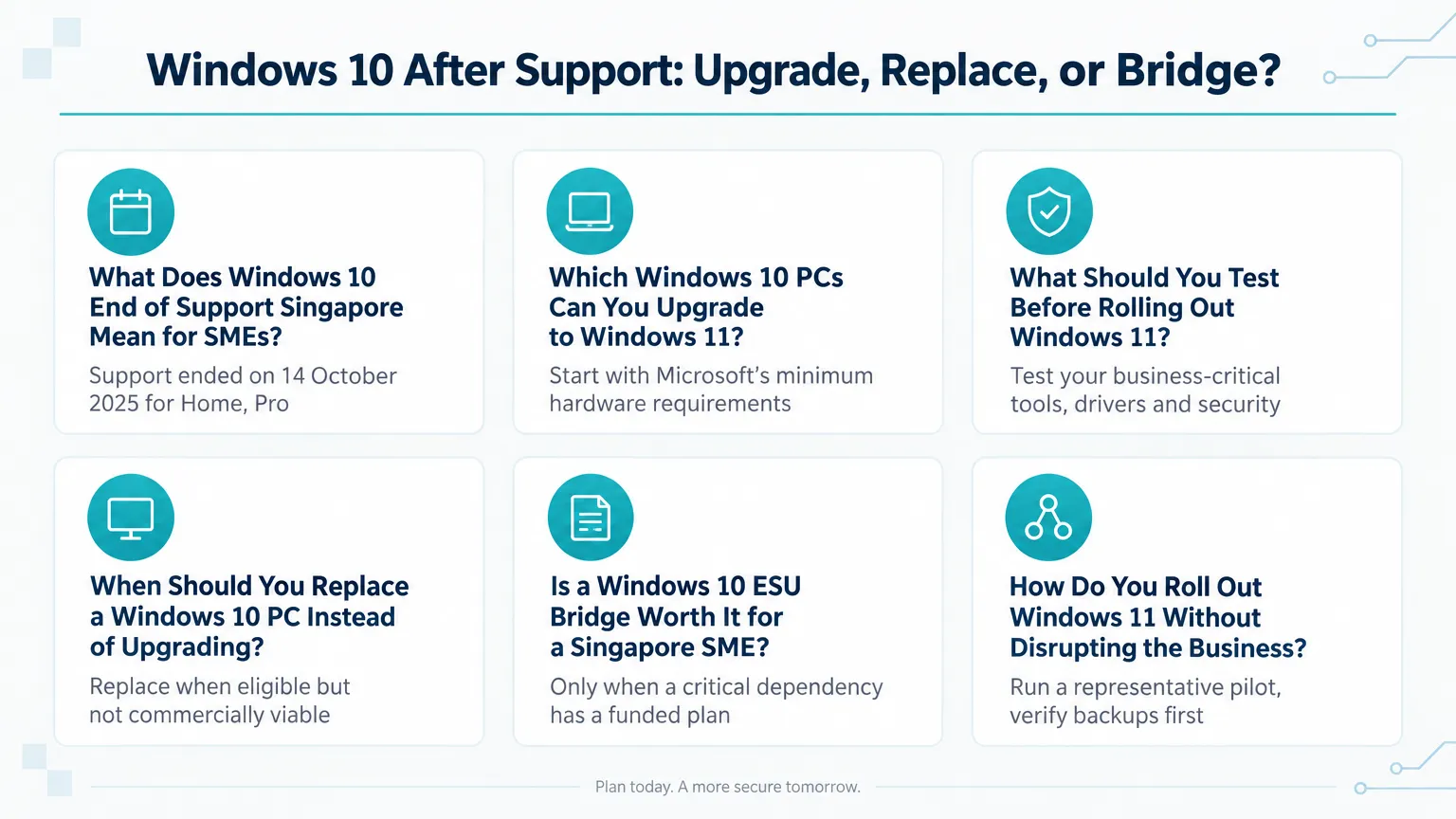
Ordinary Windows 10 support ended on 14 October 2025 for Home, Pro, Enterprise and Education edition version 22H2.
An ordinary Windows 10 PC does not stop working on that date. It simply stops receiving normal Microsoft security updates, technical assistance and feature updates.
Two caveats keep this accurate. First, certain Windows 10 Long-Term Servicing Channel (LTSC) and IoT editions run on separate lifecycles, so they did not all end support on 14 October 2025. Check your exact edition and version before assuming anything.
Second, devices covered by a qualifying ESU programme are in a different position from unprotected ones. Ordinary Windows 10 support has ended; ESU buys a defined, temporary layer of security updates on top of that.
In practice, the risk is not that PCs suddenly fail. The risk accumulates quietly: every month without patches widens the window in which known vulnerabilities stay uncorrected on machines that handle your accounts, customer data and email.
Which Windows 10 PCs Can You Upgrade to Windows 11?
Start with Microsoft's minimum hardware requirements, then widen the assessment to condition, warranty and compatibility.
Microsoft's Windows 11 requirements set the minimum hardware eligibility that should be checked before any upgrade decision is made. The published minimums include:
- A compatible 64-bit processor
- 4 GB of RAM
- 64 GB of storage
- UEFI firmware capable of Secure Boot
- Trusted Platform Module (TPM) 2.0
Treat these as an eligibility gate, nothing more. Minimum eligibility is not a performance, reliability, application-compatibility or lifecycle recommendation. A PC can pass the checklist and still be a poor machine to keep.
From our professional experience, eligibility alone should never decide whether an SME keeps a PC. A device-by-device assessment across the fleet gives a far better answer. This is the practical framework we recommend:
One more technical point from experience: a PC that first fails a readiness check may become eligible after legitimate remediation. Firmware updates, correct boot-mode settings and security-configuration changes can bring a sound machine into compliance. We would not, however, make unsupported-processor registry bypasses the production standard. Verify the model, firmware support and Microsoft eligibility before attempting any upgrade.
1. Hardware health and warranty
Worn batteries, failing hinges, storage-health warnings and missing warranty all raise the true cost of keeping a device. An eligible but tired PC often costs more over its remaining life than a replacement.
2. Upgradeability and capacity
Check whether memory and storage can actually be raised, or whether components are soldered. A machine that cannot grow with its workload ages faster than its calendar suggests.
3. Application and peripheral compatibility
Confirm your business software, security agents and peripherals work on Windows 11 in the exact versions you run. Eligibility says nothing about whether your scanner or accounting package will still function.
4. Migration effort
Estimate the setup, data transfer and user-support time each device needs. A cheap upgrade that consumes days of rework is not cheap.
Windows 11 Minimum Requirements Versus Our Full Assessment
| Microsoft minimum requirement | What we also assess |
|---|---|
| Compatible 64-bit processor | Overall condition, repair history and remaining warranty |
| 4 GB RAM | Whether memory is realistically sufficient, and upgradeable |
| 64 GB storage | Free space, drive health and room to grow |
| UEFI firmware with Secure Boot | Availability of current firmware updates for the model |
| TPM 2.0 | Support by your endpoint-security agent and policies |
What Should You Test Before Rolling Out Windows 11?
Test your exact versions of business-critical tools, drivers and security software — never assume compatibility by product brand.
The most common migration mistake we see is treating a brand name as a compatibility guarantee. Products change behaviour between versions, and the version you run is the only one that matters.
Our recommended due diligence covers three layers, tested on the client's own builds and workflows:
1. Business-critical applications
Accounting, payroll and human resources software must be tested on your installed versions, not the vendor's latest marketing claim. Browser-based tools usually move smoothly; desktop database components often need version checks first.
2. VPN clients and endpoint-security agents
Older virtual private network (VPN) builds and security agents are frequent upgrade blockers. Confirm with the vendor that your version is supported on Windows 11, and update before the feature upgrade, not after.
3. Printers, scanners and peripherals
A physically sound scanner can still become e-waste because its vendor stopped maintaining the driver. This hidden replacement cost never appears in a basic readiness report, so check every peripheral that matters to daily work.
When Should You Replace a Windows 10 PC Instead of Upgrading It?
Replace when the device is technically eligible but commercially tired — worn, repair-prone, non-upgradeable or out of warranty.
In our judgement, an upgrade can be technically supported and still be a poor business choice. Material wear, limited upgradeability, inadequate storage or memory, and no useful warranty all point the same way: the licence may be free, but the machine is not worth keeping.
We avoid quoting a fixed age or repair-count threshold, because the honest answer depends on each device and each quotation. What we do recommend is a simple comparison worksheet: price a warranted replacement with migration included, price the full remediation path with labour and parts, and compare what each leaves you holding in three years' time. Where remediation consumes a large share of a properly warranted replacement, replacement usually wins.
A structured Windows 10 replacement plan then decides the order of spending. The prioritisation factors we recommend are:
1. Business dependency
Devices running revenue-critical or compliance-relevant work move to the front of the queue.
2. Compatibility risk
Machines tied to older applications or peripherals carry more migration risk and deserve earlier attention.
3. Hardware health and warranty
Failing components and expired coverage accelerate the replacement date. Assess whether the remaining warranty meaningfully reduces the cost and disruption of keeping the device.
4. User disruption and ESU exit dates
Sequence the rollout to limit downtime, and anchor any bridged device to a defined ESU exit date.
Upgrade, Replace, Bridge or Retire: Choosing the Right Path
| Device situation | Recommended path | Why it makes sense |
|---|---|---|
| Meets Windows 11 minimums, healthy, in warranty, apps compatible | Supported in-place upgrade | Lowest cost and least user disruption |
| Eligible but worn, repair-prone or out of warranty | Replace | Remediation and old-hardware risk outweigh licence savings |
| Tied to a legacy app or peripheral with a funded migration plan | Short ESU bridge with a fixed exit date | Buys defined time without pretending support returned |
| Unused, redundant or duplicated | Retire without replacement | Removes an unsupported endpoint from the network |
Is a Windows 10 ESU Bridge Worth It for a Singapore SME?
Only when a business-critical dependency has a funded migration plan and a fixed exit date — otherwise, spend the money on replacement hardware.
Extended Security Updates (ESU) is a temporary security-update measure, not a return of full Windows 10 support. According to Microsoft's Extended Security Updates documentation, commercial ESU provides critical and important security updates only. It does not extend the normal product lifecycle, add new features, supply non-security updates, or include general technical support — and it is not a promise that application and hardware vendors will keep supporting Windows 10.
The programme runs on fixed dates, not a fresh twelve months from your purchase. Microsoft's stated commercial programme runs as follows: Year 1 ends on 13 October 2026, Year 2 ends on 12 October 2027, and Year 3 ends on 10 October 2028, with later years requiring the prior year licences. Buying late does not restart the clock.
On price, Microsoft states a US$61 per-device Year 1 price through Volume Licensing, with no partial-year purchase, published pricing rising steeply in subsequent years, and cumulative prior-year payment required to enter Year 2. Important caveats: this is Microsoft's US-dollar programme price, not a Singapore client quote. We would not convert it or present a reseller route, implementation fee or final client price without a dated Singapore quotation.
On entitlements, do not assume your existing subscriptions cover you. Eligible Windows 365 scenarios can provide ESU entitlement for a qualifying Windows 10 physical endpoint, but this is not a blanket entitlement for ordinary Microsoft 365 subscribers. Your licence type and configuration must be checked first.
For tax, the Inland Revenue Authority of Singapore confirms the prevailing GST rate is 9%, and a GST-registered business generally charges GST on local taxable supplies unless an exception applies. Confirm the supply classification and invoice structure before budgeting a GST-inclusive total.
Finally, remember that your company holds valuable information to hackers, and an unpatched operating system is one of the easiest ways in. Unsupported Windows 10 can complicate your security-control posture, but the insurance, contractual and compliance consequences depend on your specific policy, contract and framework — check with your own insurer and adviser rather than assuming a universal rule.
Windows 10 Commercial ESU Dates and Pricing
| ESU year | Programme end date | Microsoft stated pricing |
|---|---|---|
| Year 1 | 13 October 2026 | US$61 per device via Volume Licensing |
| Year 2 | 12 October 2027 | Higher list price; Year 1 licence must be paid first |
| Year 3 | 10 October 2028 | Higher list price again; prior years required |
Which Microsoft Office Versions Still Work After Windows 10 Support Ends?
Installed Office applications keep launching after Windows 10 support ended, but Office 2016 and Office 2019 stopped receiving security updates on 14 October 2025, while Office 2021 stopped receiving support on 13 October 2026, Office 2024 remains in support until 10 October 2029, and Microsoft 365 Apps on Windows 10 continue receiving security updates until 10 October 2028.
How Do You Roll Out Windows 11 Without Disrupting the Business?
Run a representative pilot, verify backups before touching anything, and keep a tested rollback path at every step.
Here is the rollout approach we recommend as a practical checklist. Start with a small pilot group that includes a technically confident user, an everyday user, and representatives of each critical application, site and hardware model.
- Verify cloud sync and browser data, capture BitLocker recovery keys, and record installed software and printers.
- Take an image-level backup for machines holding local application data, and test restore access — a backup you have not checked is not a rollback plan. Many teams also rely on secure business cloud storage in Singapore for user files.
- Update basic input/output system (BIOS), firmware, drivers and security agents before the upgrade, and confirm adequate free disk space.
- Run the supported Windows 11 upgrade, following the vendor's procedure where security settings must be suspended.
- Validate sign-in, Microsoft 365, line-of-business applications, VPN, printing, scanning, endpoint protection and activation.
- Keep the rollback path open: the built-in recovery window if intact, otherwise your image or standard build with data recovery.
- Hand over with a short user checklist and a next-business-day follow-up.
Whether you run this with in-house staff or outsourced IT support in Singapore, the discipline is the same: pilot first, waves after, and no machine touched without a verified way back.
How Do You Secure Remote Staff on Older Windows 10 PCs?
Home-based and travelling staff on older, unpatched or ESU-bridged Windows 10 machines are the fleet’s most exposed endpoints because they connect over home and public networks. A Virtual Private Network (VPN) creates an encrypted connection that lets them reach office files, applications and email safely.
See our VPN page for secure private network options we can set up for your remote team.
Conclusion
Windows 10 end of support in Singapore is not a single decision — it is a device-by-device one. Classify each PC as upgrade, replace, bridge or retire, test your exact application versions, and never let a free licence justify keeping a tired machine.
If a bridge is truly needed, anchor it to Microsoft's fixed programme dates and a funded exit plan. If it is not, direct the money toward warranted replacement hardware and a disciplined, pilot-first rollout.
We help Singapore SMEs do exactly this: fleet audits, compatibility testing, Windows 11 rollouts, hardware procurement and ESU licence handling, all from our Novena base. Speak to us about a Windows 10 replacement plan sized to your business, and focus on your core work while we handle the migration.
Plan Your Windows 10 Exit With Confidence
Tell us about your fleet and we will map out which PCs to upgrade, replace or bridge — with clear costs and timelines.
Frequently Asked Questions
Yes, it will keep running, but ordinary security updates, technical assistance and feature updates stopped on 14 October 2025 for Home, Pro, Enterprise and Education version 22H2. Certain LTSC and IoT editions follow separate lifecycles, and devices under a qualifying ESU programme receive defined security updates.
Check Microsoft's minimum requirements: a compatible 64-bit processor, 4 GB RAM, 64 GB storage, UEFI firmware with Secure Boot, and TPM 2.0. Passing means eligible, not recommended — also assess condition, warranty, memory, storage, application compatibility and migration effort.
Microsoft's published commercial price is US$61 per device for Year 1 through Volume Licensing, with no partial-year purchase and higher pricing in later years, which require prior-year licences. This is a US-dollar list price, not a Singapore quote; GST at the prevailing 9% rate may apply to local supplies.
No. An ordinary Microsoft 365 subscription does not include ESU. Eligible Windows 365 scenarios can provide ESU entitlement for a qualifying Windows 10 physical endpoint, but the exact licence type and configuration must be checked first.
Replace when the device is eligible but worn, repair-prone, non-upgradeable or out of useful warranty. Compare the full remediation cost against a warranted replacement with migration included; when remediation consumes a large share of replacement cost, replacement is usually the better business decision.

Qin
Digital Marketer
The company's offerings to include IT solutions such as domain registration, hosting, and comprehensive website services alongside digital marketing. Her work encompasses website development, graphic design, and email solutions to provide holistic digital strategies, focusing on Digital Business & Systems.